Quick Jump To Guide:
What does it look like?
How do I use it?
How do I set the main image?
What size images should I use?
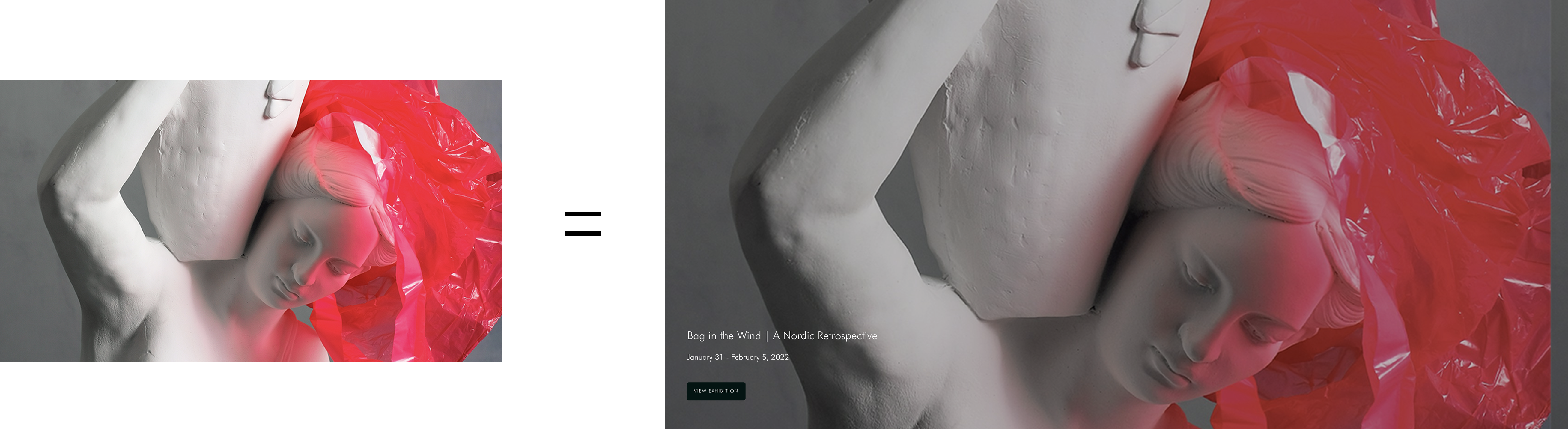
What does it look like?
The Parallax block spans the entire width of your website and displays your exhibitions. The exhibition image stays static as the webpage scrolls.-gif.gif)
How do I use it?
Like other blocks, you'll drag and drop the Parallax block onto any page in the Website Builder. You can adjust the block's settings, similar to an Exhibition block. The block will display any information associated with an Exhibition Record.
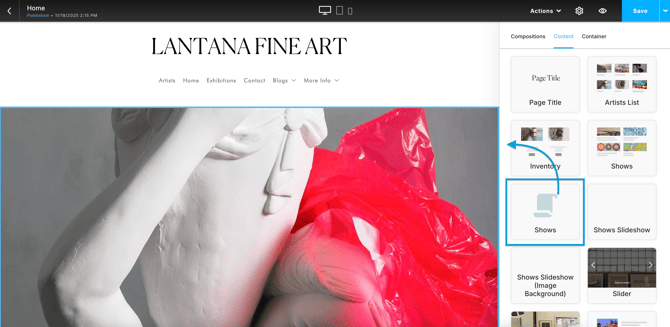
Here's a quick example:
How do I set the main image?
The main image corresponds to the Cover Image field on the Exhibition Record. You can set and change this image on the Overview tab.
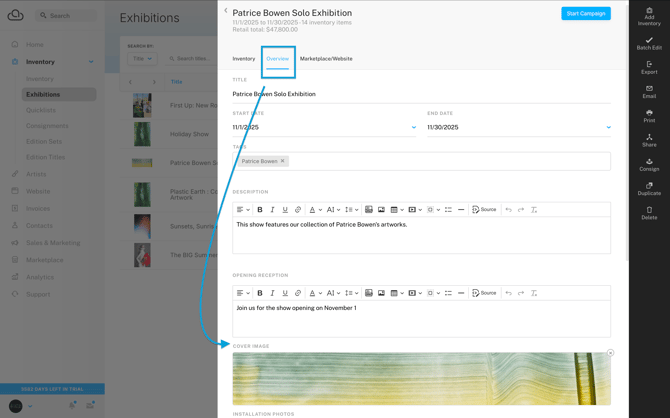
Note: If the Exhibition Record does not have a cover image, the main image will default to the first artwork in the exhibition.
What size image should I use?
We recommend uploading a large file that's 2000 px on the longest edge and has a dpi (dots per inch) or ppi (pixels per inch) of 150.
You'll also want to use a portrait-style image for the exhibition's Cover Image. You can resize an image outside of ArtCloud. In the example below, the Cover Image has a 16:9 ratio.