To add text to your website, navigate to the Website tab of ArtCloud, and choose the page you would like to edit.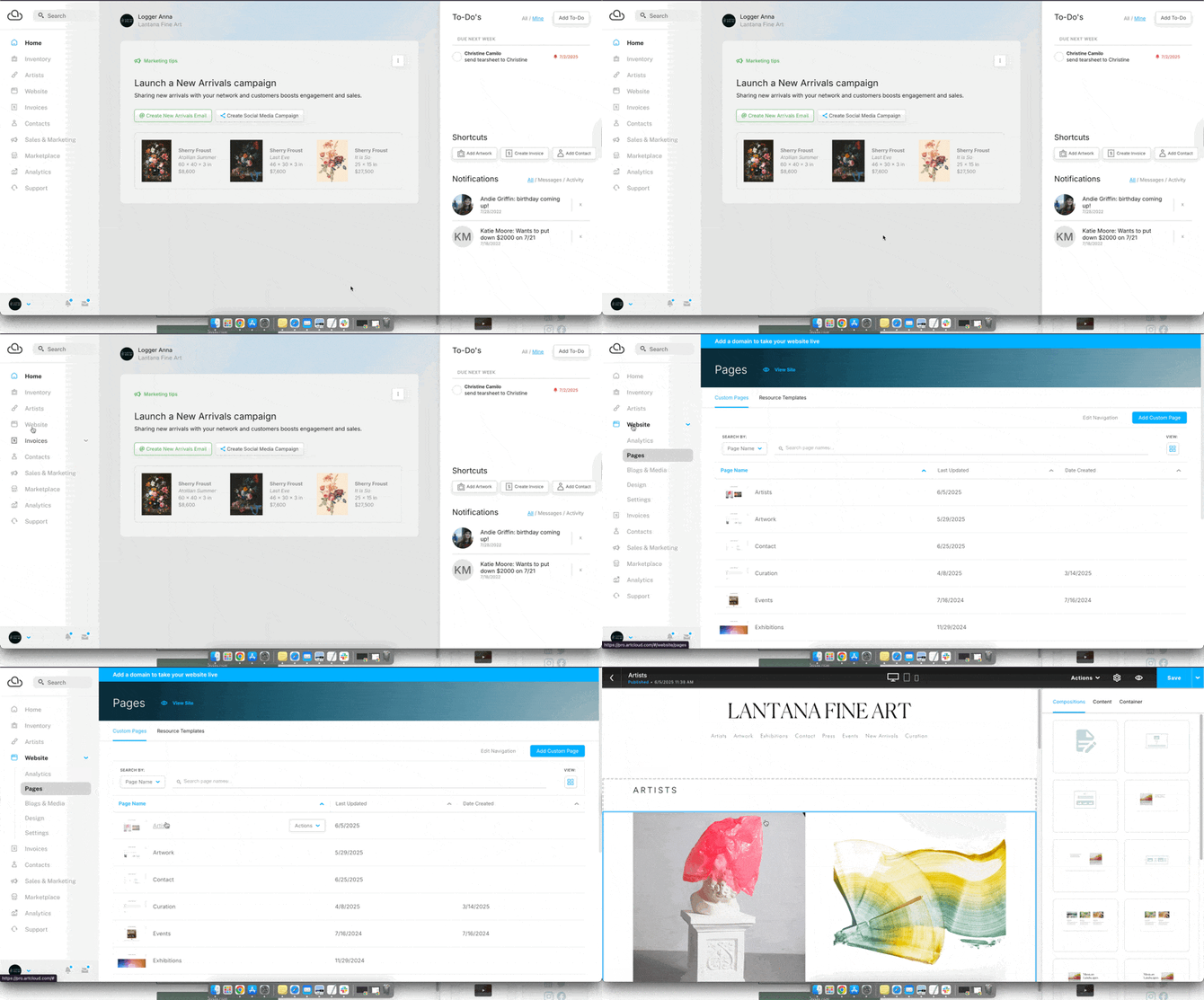
Next, to the right side of the screen, look for the Text icon amongst the available Content blocks in the Content blocks tab:
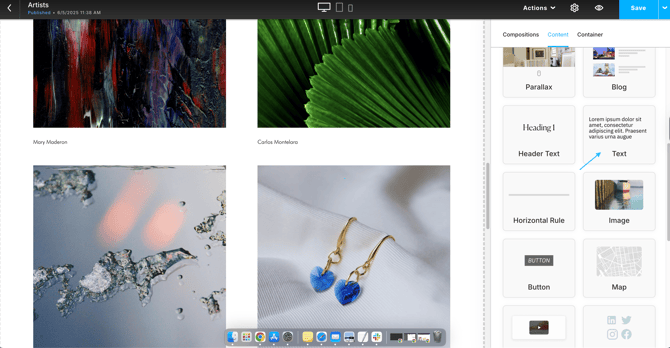
This is a Text block. Drag it into your page's editing box.
The text block will contain placeholder text. Replace it with your own content.
Link text to other pages
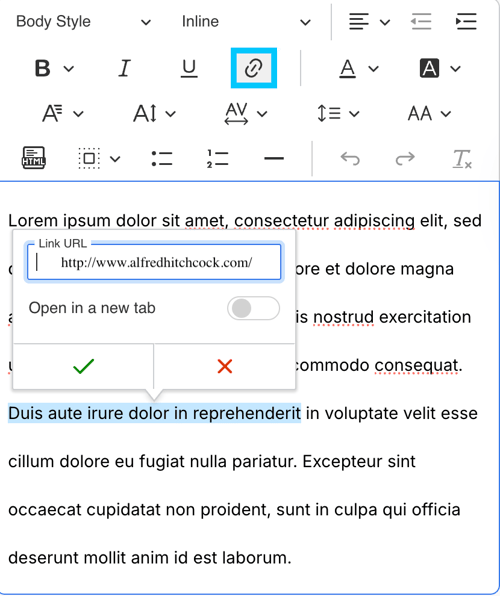
To hyperlink text, highlight the desired text, then select the chain link icon from the toolbar that appears. Enter your link in the provided field to create the hyperlink.