Jump to:
Consignment
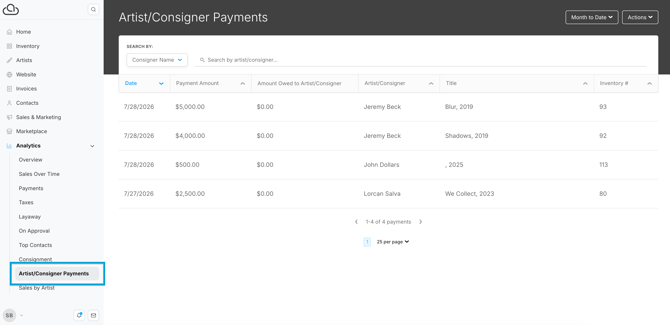
Artist/Consignor Payments
Use the Consignment tab to track what's owed to artists and consignors and the Artist/Consignor Payments tab to view payments recorded to the artists and consignors.
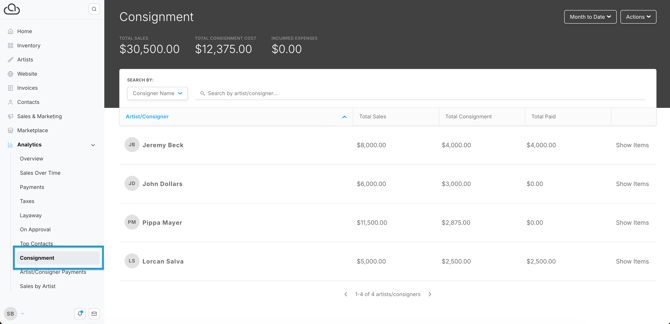
Consignment
The Consignment tab lists artists and consignors whose works sold during a set time period. The simple view shows each artist or consignor with total sales, total consignment, and total paid.
Tip: ArtCloud calculates consignment amounts from closed invoices based on the consignment details on each Inventory Record. Set up the consignment split, expenses, and consignor on the Inventory Record. Read more here: Financial Tab Overview - Inventory Record.
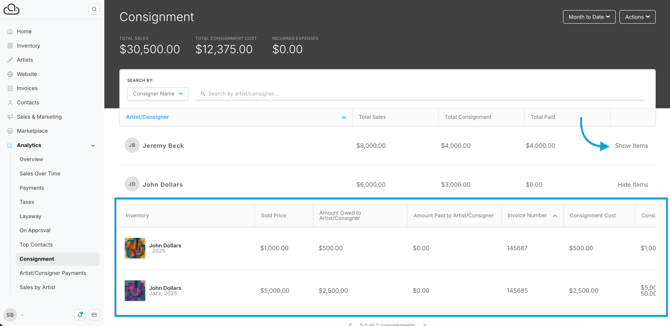
Click "Show Items" to view the inventory items associated with an artist or consignor. ArtCloud displays a line-by-line list of that artist or consignor's sold inventory.
Scroll right on the item list to find the "Add Payment" button and record a payment to the artist or consignor.
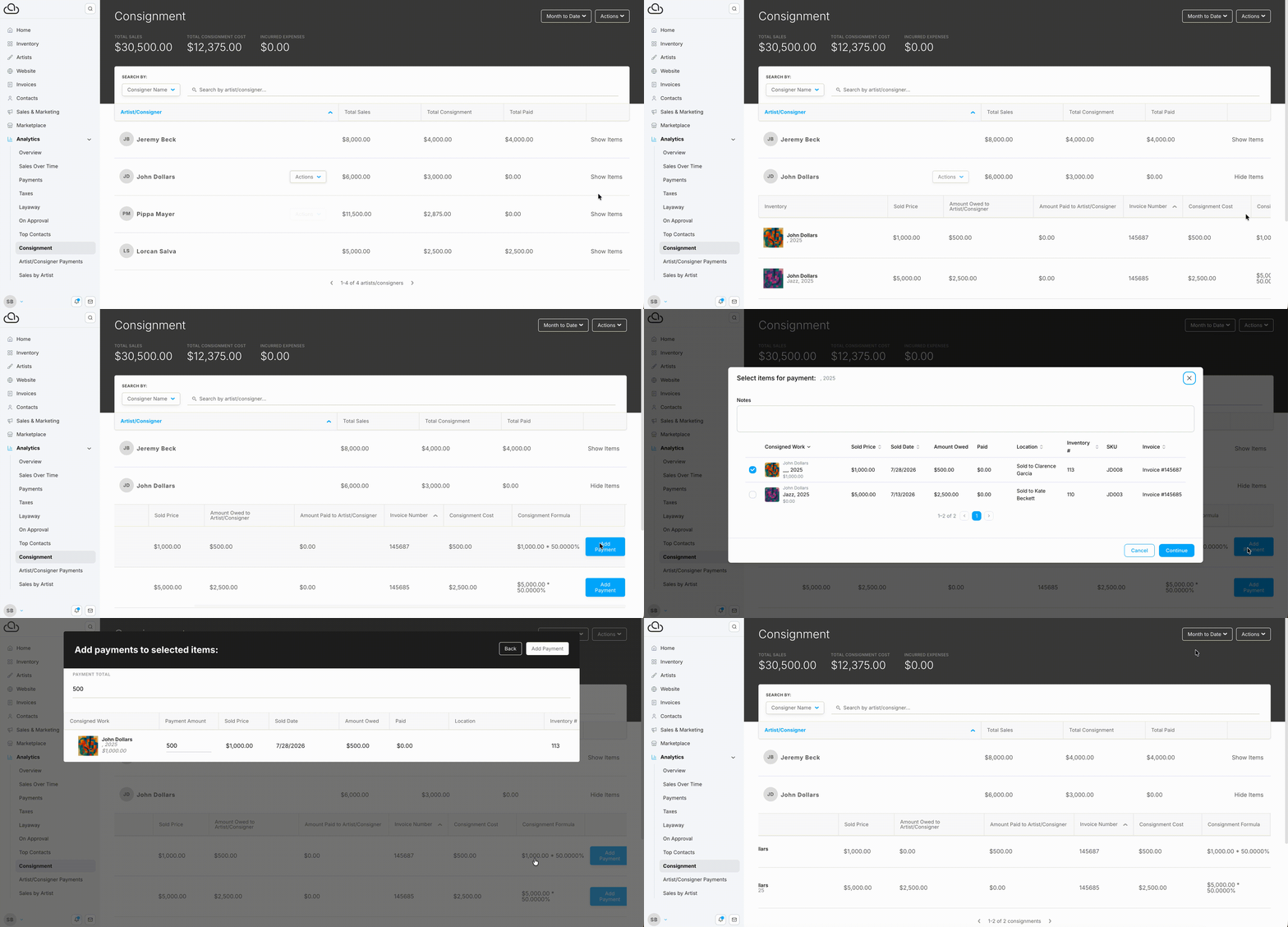
Note: ArtCloud does not transfer payments to artists or consignors. Pay artists or consignors outside the platform and use ArtCloud to record the payment.
Artist/Consignor Payments
The Artist/Consignor Payments tab shows payments logged to artists or consignors over a set time range. Read more about recording payments here: Record Artist Payments.