Note: Email Templates are available to Legacy Gallery Manager Pro Plus and Artist Manager Pro Plus accounts, or with a Sales Seat on the new Manager subscription structure.
To upgrade your account, visit the Subscription page in Account Settings or contact support@artcloud.com with questions.
Quick Jump To Guide
When to use Email Templates
Create a new Email Template
When to use Email Templates
You can create Email Templates for emails you frequently send. Common uses for Email Templates include:
- Responses to online inquiries
- Price requests
- Invoice payment reminders
- Payment plans
- Following up with gallery visitors
- Shipping updates
Create a new Email Template
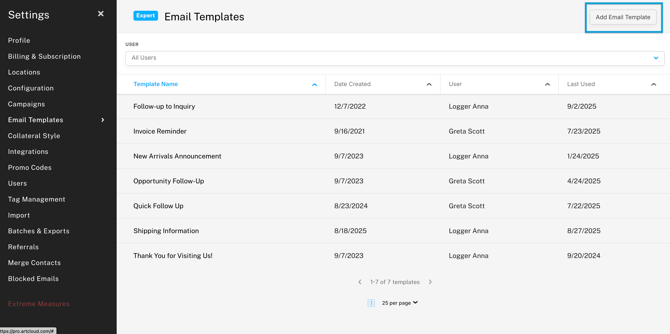
To create a new template, navigate to Account Settings >> Email Templates and click "Add Email Template."
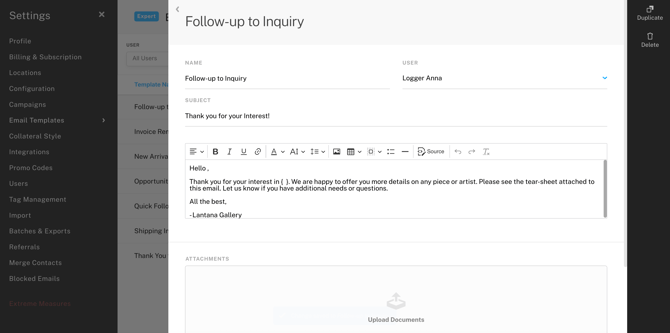
When creating your Email Template, you'll fill out the following fields:
- Name: internal name for the template
- User: the creator of the Email Template.
- Subject: the email subject line
- Body: the email body text, which will automatically populate in a new email using the template
- Uploads: any relevant content to an email