
Quick Jump To Guide:
What Are Tags?
Set an Inventory List Block to Display by Tag
What Are Tags?
Tags let you group inventory by categories or themes. You can display these groups as curated selections on your website. Common uses include displaying inventory by medium, theme, price range, or size.
Tip: Use Batch Editing to add tags to multiple records at once. Read more: Batch Edit Inventory Records.
Set an Inventory List Block to Display by Tag
By default, an Inventory List Block displays all website-opted inventory. Use the Source dropdown to filter what appears:
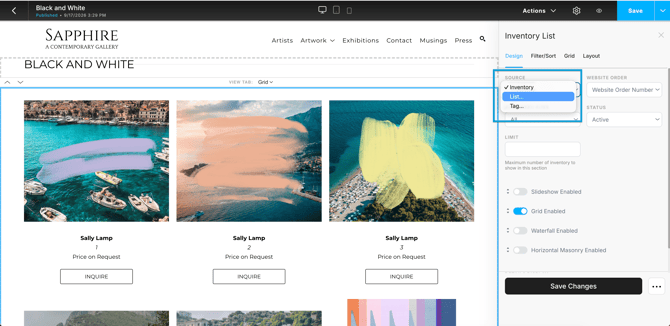
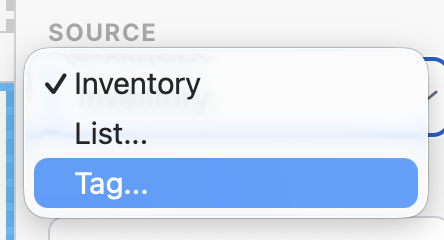
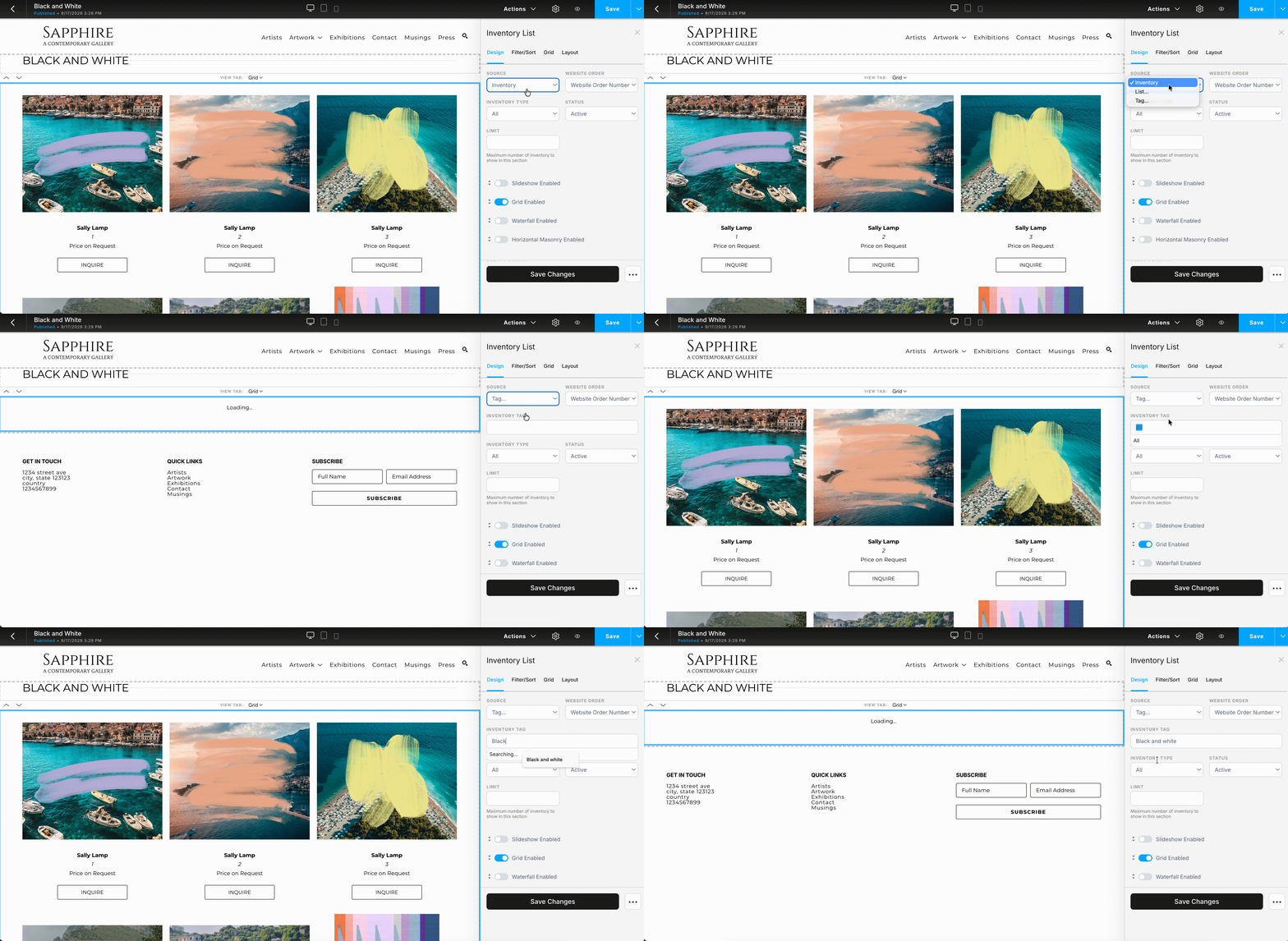
Select "Tag..." from the Source dropdown.
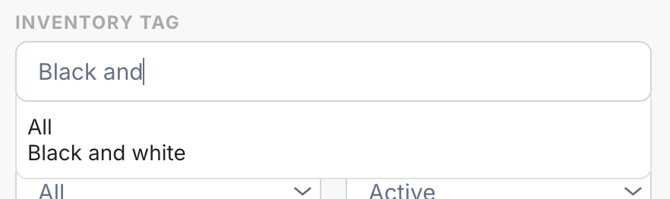
Enter and select a tag from the Inventory Tag field.
The block updates automatically to show only inventory with that tag.
Note: You can also display inventory by Quicklist. Create a Quicklist for a selection of inventory, and pick "List..." from the Source dropdown. Read more: Display Inventory by Quicklist.