
Quick Jump To Guide:
Editions
Edition Sets
Edition Titles
Displaying Editions on the Marketplace or Website
In ArtCloud, editions refer to multiple copies of the same piece. ArtCloud structures editions in three tiers.
- Edition: A single Inventory Record for each item in an edition.
- Edition Set: A group of editions.
- Edition Title: A group of Edition Sets.
Use all three tiers to keep edition data organized and consistent.
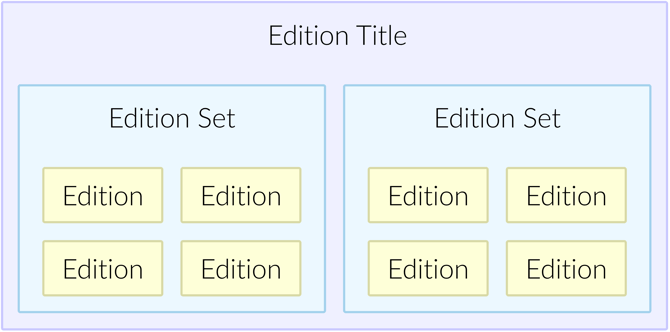
Tip: Think of the three tiers like a family, where editions are children, Edition Sets are parents, and Edition Titles are grandparents.
Editions
Editions are individual Inventory Records for each copy in an Edition Set. Set the Edition Type field to Limited or Unlimited to designate an Inventory Record as an Edition. ArtCloud automatically generates an Edition Set and reveals edition-specific fields for the edition number and count. From an edition's Inventory Record, you can add new editions to the set and view the sibling editions.
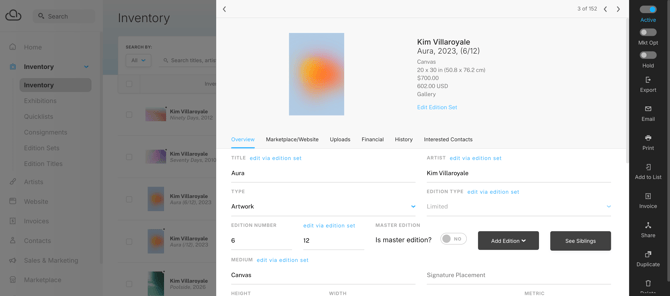
The inventory information below is unique to each edition. Make one edition the master, and ArtCloud will use the master edition's data as the template for new editions in the set.
|
|
Edition Sets
Edition Sets house editions and control shared information across all editions in the set. Create an Edition Set based on shared medium and dimension information.
Tip: When naming Edition Sets, add a parenthetical note about the medium and dimensions to distinguish between Edition Sets for the same artwork.
From the Edition Set, view all edition siblings and add new editions to the set. New editions pull data from the designated master edition.
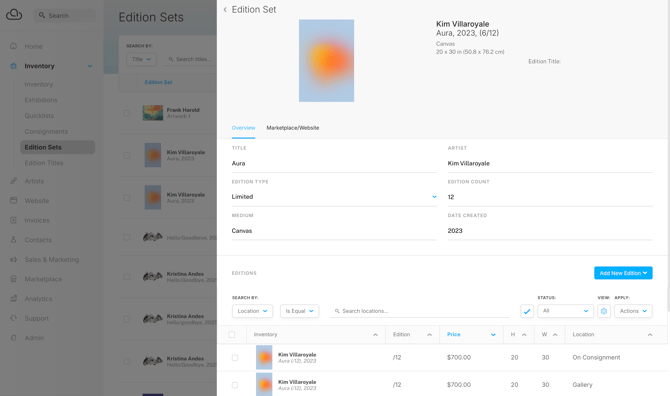
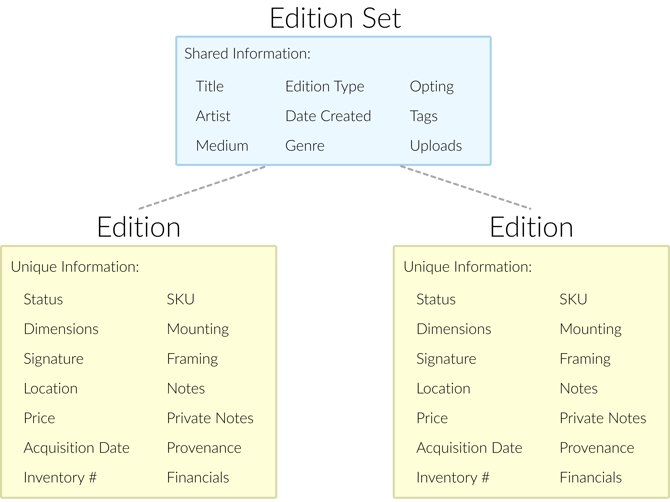
The following fields apply to all editions in the set. Edit these fields from the Edition Set:
|
|
Edit these values from any edition in the set:
|
|
Here's a helpful visualization:
Edition Titles
Edition Titles house Edition Sets when an edition comes in different mediums or sizes. Create Edition Titles with Edition Sets for each variation.
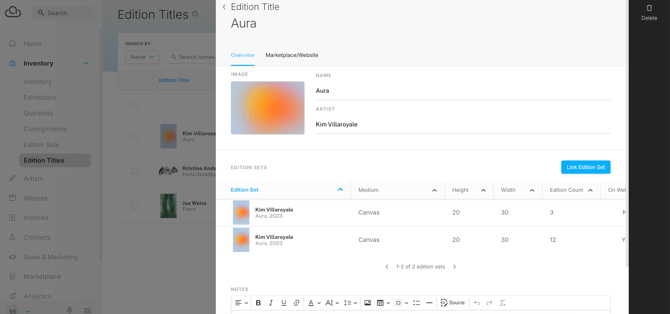
On an Edition Title, add a name, assign an artist, and link the edition sets. The image defaults to the artwork's primary image, but you can replace it to customize the picture on the Marketplace or website.
Displaying Editions on the Marketplace or Website
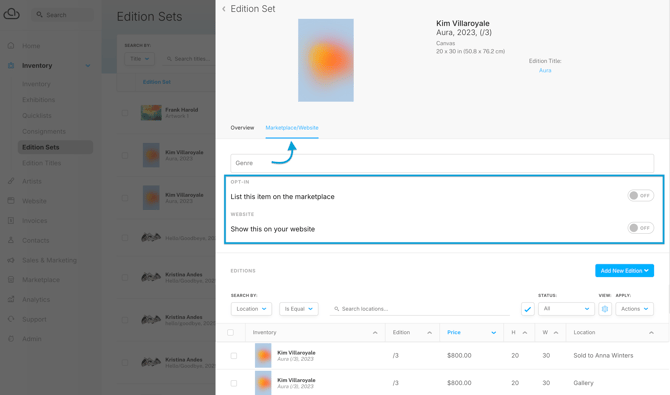
Control whether an edition is on the Marketplace or your website from the Edition Set or Edition Title.
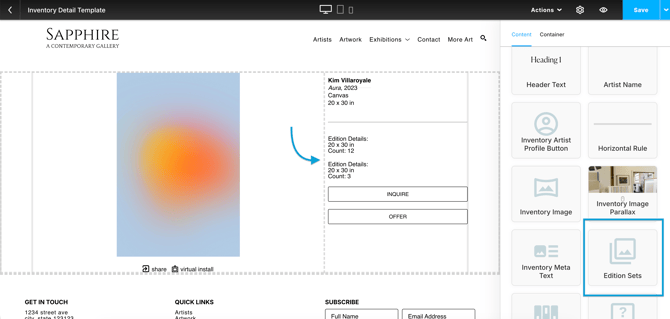
In the Website Builder, add an Edition Sets block to the Inventory Detail or Inventory Modal template to indicate that the piece is an edition. For Edition Titles, this block displays information about each Edition Set.
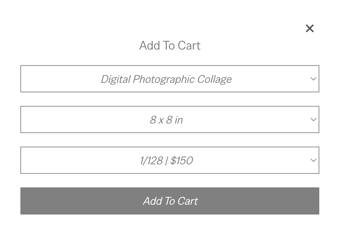
When a visitor purchases an edition from the Marketplace or website, ArtCloud prompts them to select a specific edition.
Tip: There's an ArtCloud Editions Management series on YouTube.