
Summarized Steps
How do I submit a feature suggestion for the platform?
Do I need to have a Canny account?
How do I create a Canny account?
How publicly visible is my information if I sign up?
1. Go to submit a Feature Request here.
2. Log into Canny or create a free Canny account if you do not have a log in yet. If you are creating your account, please make sure to use the same email associated with your ArtCloud account.
3. One logged in, search for the feature you'd like us to know about.
4. If you see the feature, click on the small arrow next to the feature to vote on this.
5. If you do not see the feature to vote on, Create a Feature Request. Please make sure to share as much detail about what you're trying to do. You can include screenshots or pictures for more reference, too!
ArtCloud is an ever-growing and ever-changing SaaS product, and we want to hear from you! Your voice and opinions help grow the ArtCloud Manager, Marketplace, and Website products.
Our team collects your feedback through a platform called Canny.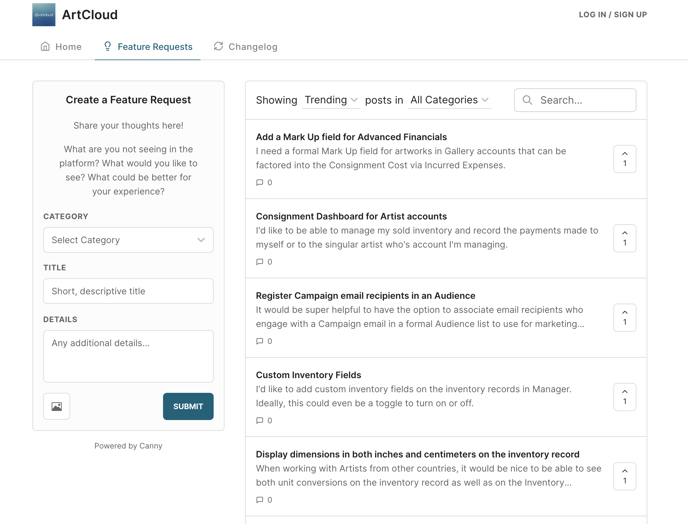
Canny will give you the power to search for specific features, vote, comment, and check the statuses of the features recorded so you can keep up to date on where the ArtCloud team is at with the specific request.
How do I submit a feature suggestion for the platform?
You can submit a feature suggestion for the ArtCloud platform here.
Please note: You will need to create a free Canny account in order to submit, vote, and track the status of feature suggestions.
Once logged into your Canny account, please search for the feature you would like to request. We encourage searching for this first because another customer may have already submitted this feature!
You can do so through the search bar: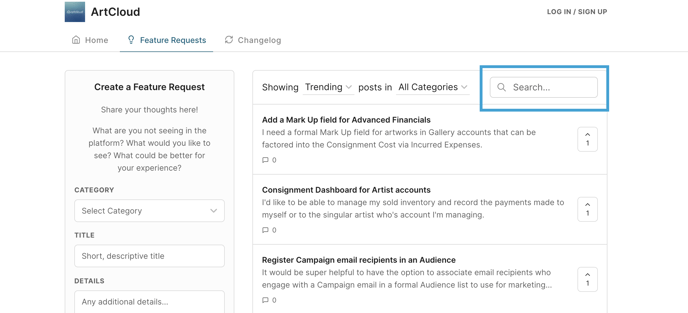
If you do not see the feature already submitted in Canny, please Create a Feature Request. You'll see the Category options for what to submit your feature as, as well as, a field for a Title and any details related to your feature request. Please make sure to be specific and share any full screenshots of what you're trying to ask for.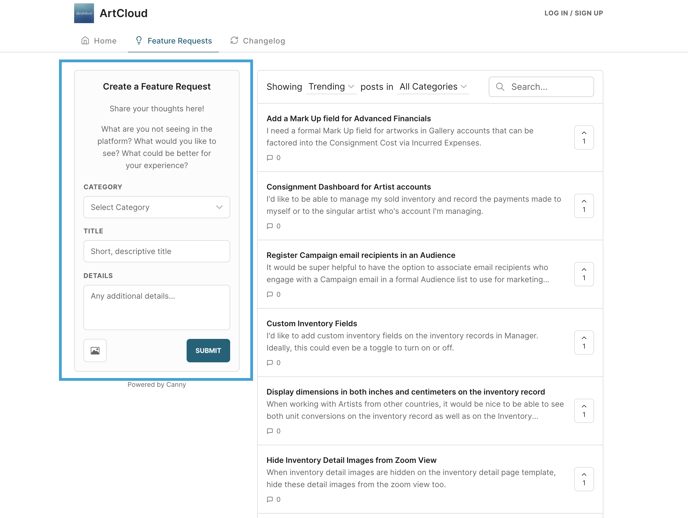
Do I need to have a Canny account?
Yes, you do need to create a Canny account in order to create feature requests, vote on existing feature requests, comment, or watch status changes. This account is free to sign up, and you will receive updates directly to your email when comments are exchanged or the status of your feature request is updated.
When creating your Canny account, please use the email address associated with your current ArtCloud account. This will allow us to better track the ArtCloud users interested in particular features.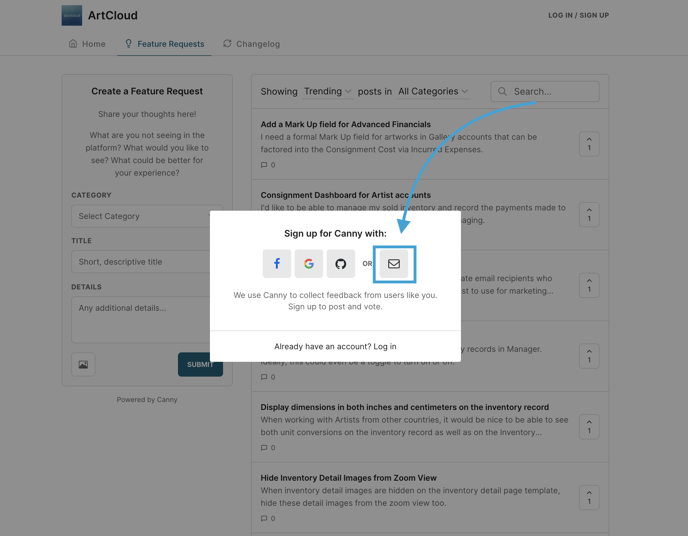
How do I create a Canny account?
You can create a Canny account in the top right corner of the screen once on ArtCloud's Feature Requests space.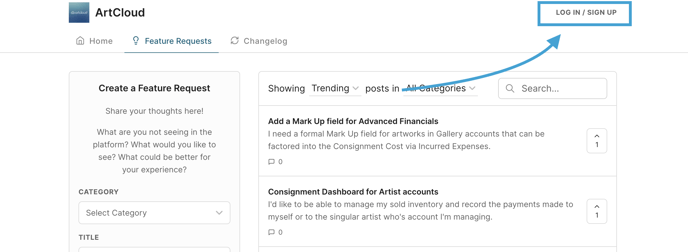
You may also see a prompt to log in or create an account if you attempt to perform any actions here without being signed in: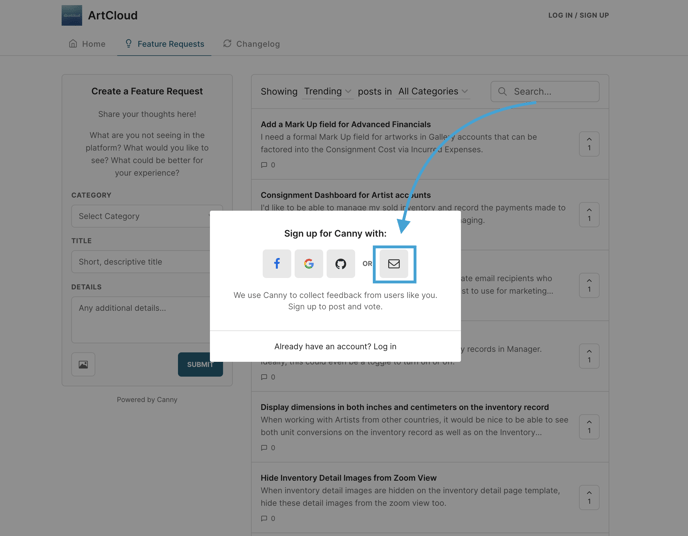
How publicly visible is my information if I sign up?
When signing up with Canny, your name and email are private to ArtCloud staff only.
Your name will be public if you submit a feature request or if you comment on an existing feature request. Your email is not available for public view whether you comment, submit a feature request, or vote on an existing feature request. Your email will be available to ArtCloud staff only.
By signing up, you are not creating any sort of social account, and users can only engage with one another through comments or replies on existing feature requests. This feature requests board is highly monitored for any inappropriate comments, language, and behaviors. Any comments or posts deemed inappropriate will be flagged and removed.