
Quick Jump To Guide
Add Provenance
Display Provenance
The Provenance field on an Inventory Record lets you log and display the history of an item's ownership and location. Provenance is especially useful in the secondary art market.
Add Provenance
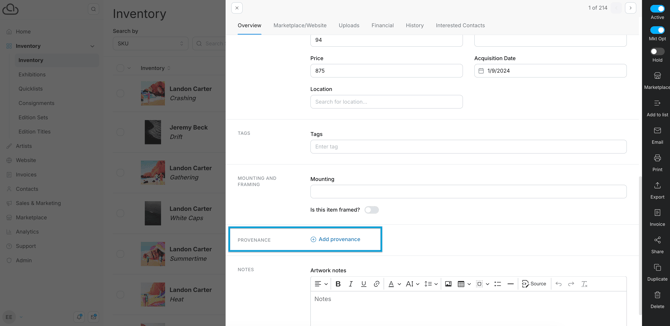
On the Overview tab of an Inventory Record, click "Add Provenance."
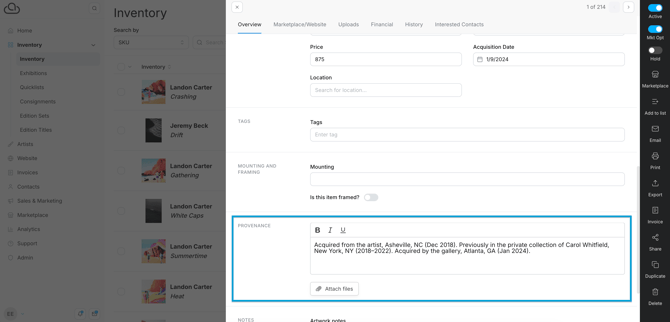
A new section will open where you can enter provenance as a text or upload a document.
Display Provenance
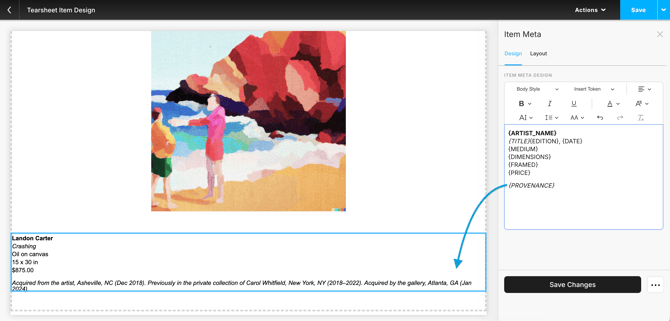
After adding provenance to an Inventory Record, you can display the text on collateral and your website. Add the {PROVENANCE} token on Item Meta text blocks.
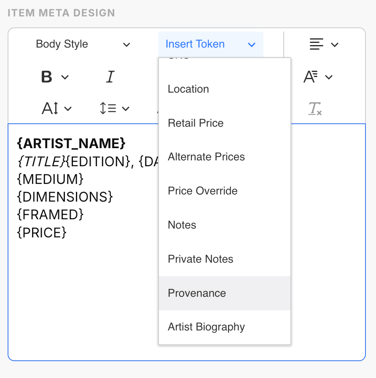
-
Collateral: Add the {PROVENANCE} token to Tearsheets and Certificates of Authenticity.
-
Website: Add the {PROVENANCE} token to Inventory Detail and Inventory Modal resource templates.
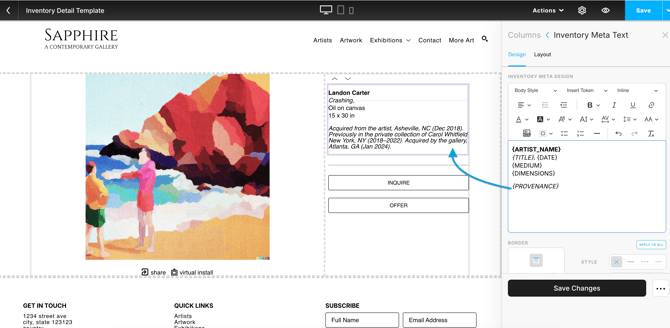
If an item doesn't have information in its Provenance field, nothing will display for the {PROVENANCE} token.